Mastering iPhone Touch Responsiveness: Optimizing Settings for Precision and Speed
The Foundation of Fluid Interaction: Understanding iPhone Touch Responsiveness
In an age where our smartphones are extensions of our will, the responsiveness of an iPhone's display to touch input is paramount. It dictates the fluidity of navigation, the precision in gaming, and the efficiency of typing. While often taken for granted, the seamless interaction between finger and screen is a complex orchestration of hardware and software, meticulously engineered by Apple. For users seeking to elevate their iPhone experience, understanding and optimizing touch responsiveness can unlock a new level of precision and speed.
Editor's pick: iPhone screen protectors on Amazon → As an Amazon Associate, this site earns from qualifying purchases.
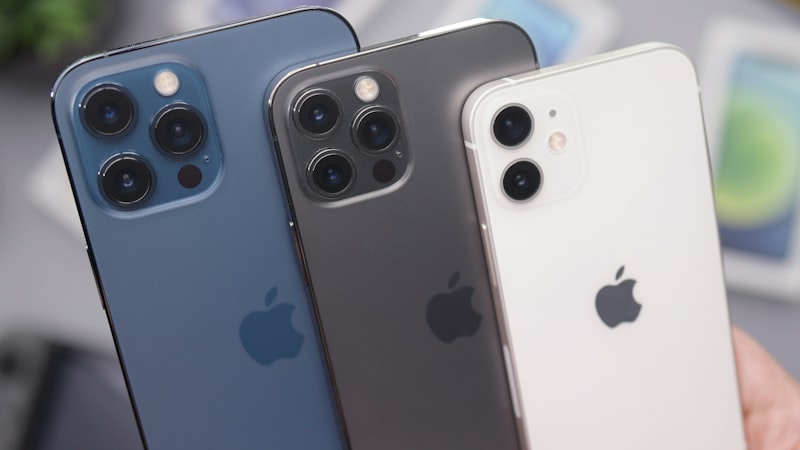
At its core, touch responsiveness refers to how quickly and accurately your iPhone registers and acts upon your input. This isn't just about the display's refresh rate, which, as explored in our iPhone display optimization guide, focuses on visual smoothness. Instead, touch responsiveness zeroes in on the input side: the moment your finger makes contact, to the instant the iPhone processes that command.
The Engineering Behind Instantaneous Touch
Every iPhone features an advanced digitizer layer beneath its display, responsible for detecting electrical signals from your touch. This hardware works in tandem with iOS to interpret various inputs – taps, swipes, pinches – with remarkable accuracy. Key to this performance is the touch sampling rate, which measures how many times per second the display scans for touch input. Higher sampling rates translate to more frequent checks, allowing the iPhone to detect inputs faster and more precisely, especially during rapid movements common in gaming or quick typing.
Apple's engineers have consistently pushed the boundaries of touch latency, the minuscule delay between your touch and the screen's reaction. Through tightly integrated hardware and software, iPhones are designed to minimize this delay, aiming for a near-instantaneous feedback loop. This low latency is a critical factor in the perception of a 'fast' and 'responsive' device, contributing significantly to user satisfaction.
Fine-Tuning Your Touch Experience Through iOS Settings
While Apple optimizes touch performance out of the box, several iOS settings allow users to tailor the experience to their preferences and needs:
Haptic Touch Sensitivity
Introduced as a successor to 3D Touch, Haptic Touch allows users to preview content, trigger contextual menus, and access shortcuts by pressing and holding on the screen. Within Settings > Accessibility > Touch > Haptic Touch, you can adjust the touch duration required to activate Haptic Touch. Choosing 'Fast' will make the system respond more quickly to your press-and-hold gestures, while 'Slow' provides a more deliberate interaction. Experimenting with this setting can significantly impact how you navigate and interact with apps.
Touch Accommodations
For users who might find standard touch interactions challenging, 'Touch Accommodations' (Settings > Accessibility > Touch) offers advanced controls. While primarily an accessibility feature, understanding its parameters can inform general touch performance. Features like 'Hold Duration' (how long you must touch the screen before it's recognized) and 'Ignore Repeat' (ignoring multiple touches within a certain time frame) allow for precise calibration, ensuring unintended touches are filtered out while intentional ones are registered accurately.
Keyboard Feedback
While not directly affecting display touch responsiveness, optimizing keyboard settings can enhance the overall input experience. Enabling haptic feedback for your keyboard (Settings > Sounds & Haptics > Keyboard Feedback) provides a subtle vibration with each key press, offering tactile confirmation that your input has been registered. This can improve typing speed and accuracy by providing immediate physical feedback.
Practical Impact: Gaming, Typing, and Navigation
The benefits of a finely tuned touch experience are evident across various daily activities:
- Gaming: In fast-paced games, every millisecond counts. Optimized touch responsiveness means quicker reactions, more precise aiming, and a competitive edge. The display registers inputs exactly when you intend, reducing frustrating missed taps or delayed actions.
- Typing: For those who type extensively on their iPhone, a responsive screen ensures that every character registers without lag. This translates to fewer errors, smoother flow, and a more efficient communication experience.
- General Navigation: From scrolling through social media feeds to launching apps and interacting with widgets, a highly responsive touch interface makes every interaction feel snappier and more intuitive.
External Factors Influencing Touch Performance
Beyond software settings, several external factors can affect your iPhone's touch responsiveness:
- Screen Cleanliness: Fingerprints, smudges, and dirt can interfere with the digitizer's ability to accurately detect touch input. Regularly cleaning your screen with a microfibre cloth can maintain optimal performance.
- Screen Protectors: While essential for safeguarding your display, some screen protectors, especially thicker or poorly fitted ones, can introduce a slight barrier that reduces touch sensitivity. As we've previously detailed in our comprehensive guide to iPhone screen protectors at iPhone View, choosing the right protector can safeguard your display without compromising its advanced touch capabilities. Opt for high-quality, thin glass protectors designed for minimal impact on touch.
- Environmental Conditions: Extreme temperatures can affect display components. While iPhones are designed for resilience, very cold conditions can sometimes reduce touch sensitivity.
- Software Glitches: Occasionally, an app or iOS itself might experience a temporary glitch that affects touch performance. A simple restart can often resolve these transient issues.
Maintaining Optimal Performance
To ensure your iPhone consistently delivers a highly responsive touch experience, integrate these practices into your routine:
- Keep your display clean.
- Choose high-quality, compatible screen protectors.
- Regularly update iOS to benefit from Apple's ongoing performance optimizations.
- Adjust Haptic Touch and Touch Accommodations to suit your personal interaction style.
By understanding the mechanics of iPhone touch responsiveness and actively managing relevant settings and external factors, users can ensure their device remains as intuitive and efficient as Apple intended, making every interaction feel perfectly precise and delightfully swift.