Preserving Precision: How Screen Protectors Influence iPhone Touch Responsiveness
Preserving Precision: How Screen Protectors Influence iPhone Touch Responsiveness
The iPhone’s display is more than just a window into your digital world; it is the primary interface through which we interact with our devices. Its touch responsiveness, precision, and haptic feedback are fundamental to the iOS experience. Given the central role of the display, protecting it with a screen protector is a common practice. But how do these protective layers — whether tempered glass, film, or privacy screens — truly impact the very touch sensitivity they aim to shield?
Editor's pick: iPhone screen protectors on Amazon → As an Amazon Associate, this site earns from qualifying purchases.
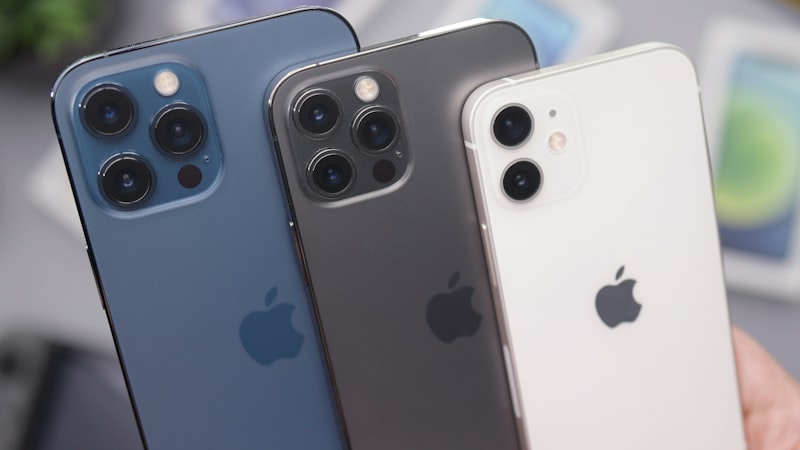
At iPhone View, we regularly examine the intricate details of iPhone displays, from color accuracy to repair considerations. Today, we delve into the physics of touch and how a seemingly simple accessory can alter the sophisticated interaction between your finger and your iPhone’s screen.
Understanding iPhone Touchscreen Technology
Modern iPhone displays utilize projected capacitive touch technology. Unlike older resistive screens that reacted to pressure, capacitive screens detect electrical changes. Your finger, being a conductor, subtly alters the electrical field of the screen when it makes contact. A grid of tiny electrodes embedded within the display stack senses these changes, pinpointing the exact location of your touch. This system is incredibly precise, allowing for multi-touch gestures, fluid scrolling, and accurate typing.
The display stack itself is a marvel of engineering. Beneath the top layer of durable glass (like Ceramic Shield on recent models) lies the digitizer, which is the actual touch-sensing component. Below that are the OLED or LCD panels responsible for image generation. Each layer is meticulously designed to work in concert, ensuring minimal interference and maximum responsiveness.
How Screen Protectors Interact with Touch Sensitivity
When you add a screen protector, you are introducing an additional layer between your finger and the iPhone’s native display surface. The degree to which this layer impacts touch sensitivity hinges on several factors:
Material and Thickness
Screen protectors vary widely in material, from thin plastic films to robust tempered glass. Plastic films are generally thinner, often having less impact on the electrical field. However, they offer less impact protection and can feel less "glass-like" to the touch. Tempered glass protectors provide superior drop and scratch protection but are thicker. Excessive thickness can slightly attenuate the electrical signal from your finger, requiring a fractionally firmer press for the touch to register. High-quality tempered glass, however, is engineered to be as thin as possible while maintaining strength, often minimizing this effect.
Adhesive Quality and Application
The adhesive layer is crucial. A poorly applied protector with air bubbles, dust particles, or an uneven adhesive layer can create micro-gaps between the protector and the iPhone’s screen. These gaps disrupt the electrical field, leading to "dead spots" or areas where touch input is inconsistent or requires more pressure. A full, edge-to-edge adhesive that bonds seamlessly with the display is ideal for preserving touch integrity.
Surface Coatings
Many screen protectors, especially tempered glass variants, feature oleophobic coatings designed to repel oils and fingerprints. These coatings are essential for maintaining a smooth, responsive glide across the surface. A protector without an effective oleophobic coating can feel sticky or grabby, creating friction that users might misinterpret as reduced touch sensitivity, even if the underlying electrical detection is unaffected.
Optimizing Your Experience with a Screen Protector
Choosing the right screen protector and applying it correctly are key to maintaining optimal touch responsiveness:
- Prioritize Quality: Invest in high-quality tempered glass protectors from reputable brands. These are typically engineered for minimal thickness and excellent optical clarity, crucial for an unimpeded touch experience.
- Flawless Installation: Follow installation instructions meticulously. Clean the screen thoroughly to remove all dust and oils before application. Proper alignment and ensuring a bubble-free bond are paramount for consistent touch detection.
- Consider the Trade-off: While privacy screen protectors offer an excellent security feature by limiting viewing angles, their layered design can sometimes introduce a greater impact on brightness and, in some cases, touch sensitivity compared to standard clear protectors. Users must weigh their privacy needs against potential minor display compromises, a topic we explored in our analysis of privacy screen protectors and display compromises.
- Adjust Accessibility Settings: If you experience persistent issues, iOS offers accessibility features that can fine-tune touch interaction. "Touch Accommodations" (Settings > Accessibility > Touch > Touch Accommodations) allows you to adjust the duration of a touch before it’s recognized, ignore repeated touches, or set a "hold duration." These settings can sometimes compensate for very minor changes introduced by a screen protector, though they are primarily designed for users with specific motor skill needs.
Conclusion
The sophisticated capacitive touch technology of the iPhone display is remarkably resilient, but it is not entirely immune to external layers. While a well-chosen and correctly applied screen protector will have a negligible impact on touch responsiveness for most users, understanding the underlying mechanisms and potential points of interference empowers you to make informed decisions. By opting for quality materials and meticulous installation, you can ensure your iPhone’s display remains both pristine and perfectly responsive, preserving the intuitive interaction that defines the iPhone experience.