Beyond Protection: How Screen Protectors Can Influence Your iPhone's True Tone Display
The Subtle Science of True Tone
Apple's True Tone technology, first introduced with the 9.7-inch iPad Pro, has become a staple across the iPhone lineup, enhancing viewing comfort and perceived color accuracy. Its premise is simple yet profound: to dynamically adjust the display's white balance and intensity to match the ambient light color temperature of your environment. This means that whether you're under warm indoor lighting or bright, cool daylight, your iPhone display aims to render whites and colors consistently, reducing eye strain and making on-screen content appear more natural, almost like paper.
Editor's pick: iPhone screen protectors on Amazon → As an Amazon Associate, this site earns from qualifying purchases.
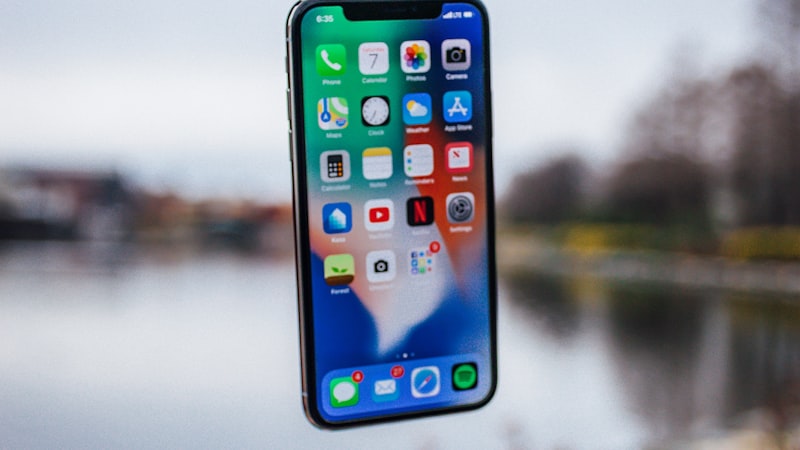
True Tone achieves this sophisticated adjustment through advanced multi-channel ambient light sensors integrated into the device. These sensors measure the color temperature and brightness of the surrounding light, feeding this data to the iPhone's display engine. The system then intelligently shifts the display's output to harmonize with the environment, creating a seamless visual experience.
The Unseen Interaction: Protectors and True Tone
While the primary role of an iPhone screen protector is to shield the delicate display from scratches, cracks, and impacts, its presence is not entirely passive. The material, thickness, and optical properties of a screen protector can subtly, or sometimes significantly, influence how True Tone operates and how its effects are perceived by the user.
Material Matters: Glass, Matte, and Privacy
- Tempered Glass Protectors: High-quality tempered glass protectors, known for their clarity and hardness, generally have the least impact on True Tone. Their transparency is typically excellent, allowing ambient light to pass through to the sensors with minimal distortion. However, lower-quality glass might introduce a slight tint or haziness, which could subtly shift the perceived white balance even if True Tone is calibrating correctly based on its sensor readings. The key here is optical purity; a truly clear protector ensures the sensor receives an accurate reading and that the light emitted from the display isn't altered before reaching your eyes.
- Matte (Anti-Glare) Protectors: Matte screen protectors are designed with a textured surface to diffuse reflected light, significantly reducing glare. While effective for outdoor use or in brightly lit environments, this diffusing property can have a secondary effect on True Tone. The texture, by its very nature, scatters light both entering and exiting the display. This scattering can make True Tone's subtle white balance adjustments less apparent, as the overall visual effect is softened. Furthermore, the anti-glare layer might slightly desaturate colors or introduce a faint 'sparkle' effect, which can mask the nuanced color shifts True Tone attempts to achieve, leading to a less vibrant or less accurately perceived color temperature.
- Privacy Screen Protectors: These protectors employ a micro-louver technology to restrict viewing angles, making the screen visible only to the person directly in front of it. This functionality inherently involves a degree of tinting or darkening, and often a slight shift in color temperature, particularly when viewed even slightly off-angle. A privacy screen protector will almost certainly alter the perceived output of True Tone. The tinting can interfere with the ambient light sensor's ability to accurately read the surrounding color temperature, and the inherent darkening will directly impact how the display's calibrated white point is perceived. Users might find their display appearing perpetually warmer or cooler than intended, undermining True Tone's purpose.
Beyond Material: Thickness and Sensor Access
While less common with modern, precisely engineered protectors, excessive thickness or improper cutouts could theoretically impede the ambient light sensors. Most reputable screen protector manufacturers design their products with precise cutouts for all front-facing sensors, ensuring they remain unobstructed. However, always verify that your chosen protector does not cover any part of the sensor array, typically located near the notch or Dynamic Island.
Evaluating the Impact on Your iPhone
For users who prioritize the visual fidelity and comfort offered by True Tone, it's worth evaluating how a new screen protector might interact with this feature. A simple test involves toggling True Tone on and off in Settings > Display & Brightness, both with and without the screen protector applied (if feasible and safe to do so). Observe if the white points and colors appear consistent and natural across different lighting conditions. Pay close attention to how white backgrounds on webpages or documents look under various ambient light sources.
Ultimately, the goal is to strike a balance between robust screen protection and uncompromised display performance. For those who value True Tone's nuanced adjustments above all, opting for a high-quality, ultra-clear tempered glass protector from a reputable brand is often the best choice. These typically offer excellent transparency and minimal interference with the display's optical output or sensor functionality.
As we've explored in our analysis of general iPhone display calibration at iPhone View, achieving optimal color accuracy is a complex interplay of hardware and software. Screen protectors, while beneficial for durability, introduce another variable into this equation that discerning users should consider to maintain their iPhone's intended visual experience.