Navigating iPhone Display Polarization: Why Sunglasses Change Your View
For many iPhone users, the experience of glancing at their device while wearing polarized sunglasses can be a frustrating one. Instead of a clear, vibrant display, they might encounter a screen that appears almost black, heavily distorted, or exhibits unusual rainbow patterns. This isn't a fault with your iPhone or your sunglasses, but rather a fascinating interaction rooted in the fundamental physics of light and display technology. Understanding display polarization is key to navigating this common outdoor viewing challenge.
Editor's pick: iPhone screen protectors on Amazon → As an Amazon Associate, this site earns from qualifying purchases.
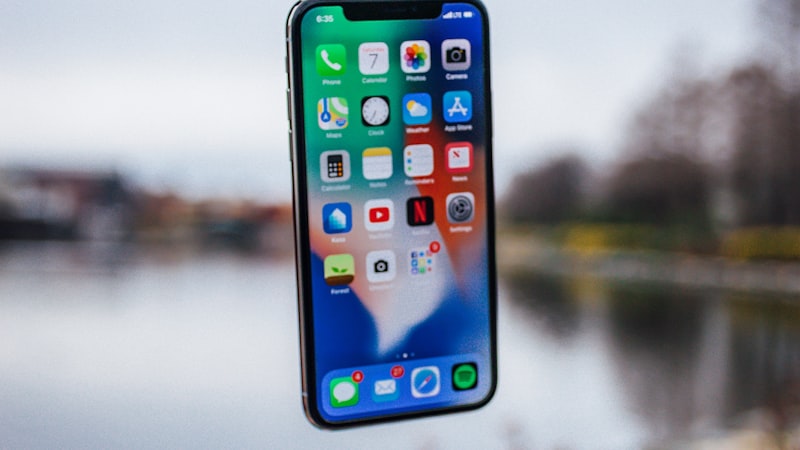
The Science Behind the Screen
Modern iPhone displays, whether LCD or the more prevalent OLED, rely on polarization to function. Light from the display's backlight (for LCDs) or directly from the self-emissive pixels (for OLEDs) is initially unpolarized, meaning its waves vibrate in all directions. To create the images we see, these displays employ a series of filters, including a linear polarizer. This filter allows light waves vibrating in only one specific plane to pass through, effectively 'organizing' the light.
When you look at your iPhone screen, you're viewing this linearly polarized light. The orientation of this polarizer is deliberately set during manufacturing. For iPhones, Apple has typically oriented its displays' polarizers to be diagonal or vertical when the phone is held in portrait mode. This orientation is a design choice that balances various viewing conditions.
How Polarized Sunglasses Work
Polarized sunglasses are engineered to reduce glare, particularly from reflective surfaces like water, roads, or snow. They achieve this using a special filter that, much like the one in your iPhone screen, allows light waves vibrating in only one direction to pass through. Crucially, this filter is typically oriented vertically to block horizontally polarized glare, which is common from flat surfaces. When light hits a reflective surface, it often becomes horizontally polarized, and the sunglasses' vertical filter blocks this, reducing eye strain and improving visibility.
The Clash: iPhone Display vs. Polarized Lenses
The interaction between your iPhone's polarized display and your polarized sunglasses occurs when the plane of polarization from the screen does not align with the plane of polarization allowed by your sunglasses. If the two planes are perpendicular to each other, the sunglasses' filter will block most, if not all, of the light emitted by the iPhone display, causing the screen to appear very dark or entirely black.
Because iPhones often have a diagonal or vertical polarizer, holding your phone in portrait mode might result in a completely dark screen through your sunglasses. However, rotating your iPhone to landscape mode often changes the relative angle between the display's polarization and your sunglasses' polarization, allowing more light to pass through. This is why some users find their screen becomes perfectly visible once they turn their phone sideways.
This phenomenon highlights a fundamental design trade-off. While polarized sunglasses excel at reducing glare, they introduce a specific challenge for viewing modern displays that also rely on polarization.
Impact on Daily Use
This polarization clash can be more than just an inconvenience. For drivers using their iPhone for navigation, or for photographers trying to compose a shot outdoors, a darkened or distorted screen can be a significant impediment. It can also affect quick glances at notifications or checking the time, forcing users to either remove their sunglasses or adjust their phone's orientation.
As we've discussed in our guides on iPhone display technology (https://iphoneview.com), the underlying panel design plays a crucial role in the user experience, and polarization is one such inherent characteristic.
Practical Solutions and Workarounds
While there's no software setting to 'unpolarize' your iPhone screen, there are practical ways to mitigate the issue:
- Adjust Phone Orientation: The simplest solution is often to rotate your iPhone. If your screen is dark in portrait, try landscape, and vice-versa. Experiment with different angles until you find the sweet spot where the screen becomes visible.
- Tilt Your Head: Sometimes, slightly tilting your head can also change the relative angle between your eyes, sunglasses, and the phone, improving visibility.
- Consider Non-Polarized Sunglasses: If viewing your iPhone screen with clarity is a frequent and critical need outdoors, you might consider using non-polarized sunglasses. While these won't offer the same glare reduction benefits, they will ensure an unobstructed view of any polarized screen.
- Awareness is Key: Simply understanding why this happens can reduce frustration. Knowing it's a physical interaction rather than a defect helps manage expectations.
Ultimately, the interaction between iPhone display polarization and polarized sunglasses is a fascinating example of how everyday physics influences our tech experience. By understanding this interplay, users can better adapt their habits to ensure optimal screen visibility, even on the brightest days.