Mastering Your iPhone's Adaptive Display: How Ambient Light Shapes Your Viewing Experience
The Unseen Director of Your iPhone's Screen: Ambient Light Sensing
Our iPhones are constant companions, their displays serving as windows to our digital lives. Yet, few users actively consider the complex interplay of technologies working behind the scenes to deliver a consistently comfortable and clear viewing experience. Beyond manual brightness sliders and color settings, a sophisticated system involving the ambient light sensor intelligently adapts your iPhone's display to its surroundings. This adaptive intelligence is crucial for both readability and reducing eye strain, quietly optimizing your screen without constant manual intervention.
Editor's pick: iPhone screen protectors on Amazon → As an Amazon Associate, this site earns from qualifying purchases.
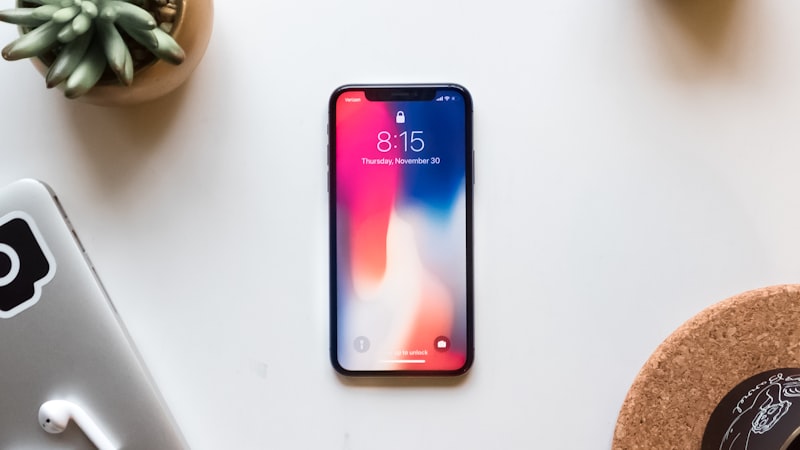
Understanding the Ambient Light Sensor
At the core of this adaptive system is the ambient light sensor, a small component typically located near the iPhone's front camera. Its primary function is to measure the intensity and color temperature of the light in your immediate environment. This data then informs the iPhone's display engine, prompting adjustments that make your screen appear more natural and easier on the eyes, whether you're under bright sunlight, soft indoor lighting, or in a dimly lit room.
Unlike a simple light meter, the iPhone's sensor is designed to interpret a broader spectrum of light conditions, enabling it to differentiate between warm incandescent light, cool fluorescent light, or the neutral tones of daylight. This sophisticated sensing capability is what powers some of the iPhone's most user-centric display features.
Auto-Brightness: The Dynamic Luminescence Manager
One of the most immediate effects of the ambient light sensor is its control over auto-brightness. While many users are familiar with manually adjusting their screen's brightness, auto-brightness automates this process. In bright conditions, the display brightens to maintain contrast and readability, preventing the screen from appearing washed out. Conversely, in darker environments, the display dims to prevent glare and reduce eye fatigue.
This isn't just a convenience; it's a critical ergonomic feature. Constantly staring at a display that is either too bright or too dim for its surroundings can lead to eye strain, headaches, and general discomfort. Auto-brightness ensures a consistent visual experience that aligns with human perception, helping your eyes adapt more smoothly between your screen and the environment.
While auto-brightness is enabled by default and generally performs admirably, users retain control. It can be toggled on or off within the Display & Brightness settings. Furthermore, by manually adjusting brightness while auto-brightness is active, the system learns your preferences, subtly tailoring its future automatic adjustments to your specific comfort levels. This personalized aspect truly elevates the user experience.
True Tone: Harmonizing Color Temperature
Perhaps even more subtle than auto-brightness is True Tone, a feature introduced with the iPhone 8 and iPhone X. True Tone utilizes the same ambient light sensor to measure the color temperature of your environment. It then dynamically adjusts the white balance of your iPhone's display to match that external light. For instance, if you're in a room lit by warm, yellowish incandescent bulbs, True Tone will subtly shift your screen's white points to a warmer hue. In a cool, fluorescent-lit office, it will adjust towards a cooler, bluer white.
The goal of True Tone is to make the white on your screen appear more like paper reflecting ambient light, reducing the jarring contrast between your display and its surroundings. This creates a more natural, paper-like viewing experience that is significantly easier on the eyes, especially during prolonged use. Many users might not even consciously notice True Tone working, but its absence becomes apparent once disabled.
The Synergy: How Auto-Brightness and True Tone Work Together
The true genius of the iPhone's adaptive display lies in the seamless synergy between auto-brightness and True Tone. These aren't independent features merely reacting to light; they collaborate. The ambient light sensor provides a comprehensive understanding of the light conditions – both intensity and color temperature – allowing the iPhone's display engine to make holistic adjustments.
This combined approach ensures that not only is your screen always at an appropriate brightness level, but its colors also feel consistent and natural relative to your environment. This holistic adaptation is a cornerstone of Apple's focus on user comfort and display quality, contributing significantly to the overall viewing experience whether you are browsing, reading, or watching media.
Maximizing Your Adaptive Display Settings
For most users, keeping both auto-brightness and True Tone enabled provides the best balance of comfort and utility. These settings are found under Settings > Display & Brightness. While disabling them gives you absolute manual control, it often comes at the cost of increased eye strain and potentially less optimal viewing in varied lighting conditions.
Understanding how these features operate empowers you to make informed choices. For specific color-critical tasks, such as professional photo or video editing, temporarily disabling True Tone might be desirable to view content with a standardized white point. However, for everyday use, the adaptive display system is an invaluable asset.
Beyond comfort, these intelligent display adaptations also play a role in optimizing your device's power consumption. By dynamically adjusting brightness, especially dimming the screen in darker environments, the iPhone can reduce the power draw of its display. This contributes to overall battery longevity, a topic we often explore in depth, including comprehensive guides on extending device life at iPhone Evolve.
In a world where we spend countless hours interacting with screens, the iPhone's adaptive display, driven by its sophisticated ambient light sensor, is a testament to thoughtful engineering aimed at enhancing user comfort and visual clarity. By understanding these features, you can ensure your iPhone always presents its best, most comfortable face.