iPhone Screen Cleaning Best Practices: Maintaining Display Clarity and Responsiveness
Your iPhone's display is the primary window into its capabilities. Over time, this pristine surface accumulates fingerprints, smudges, dust, and other contaminants. Maintaining a clean iPhone screen is fundamental to preserving optimal performance and your overall user experience, impacting visual clarity, touch responsiveness, and even hygiene.
Editor's pick: iPhone screen protectors on Amazon → As an Amazon Associate, this site earns from qualifying purchases.
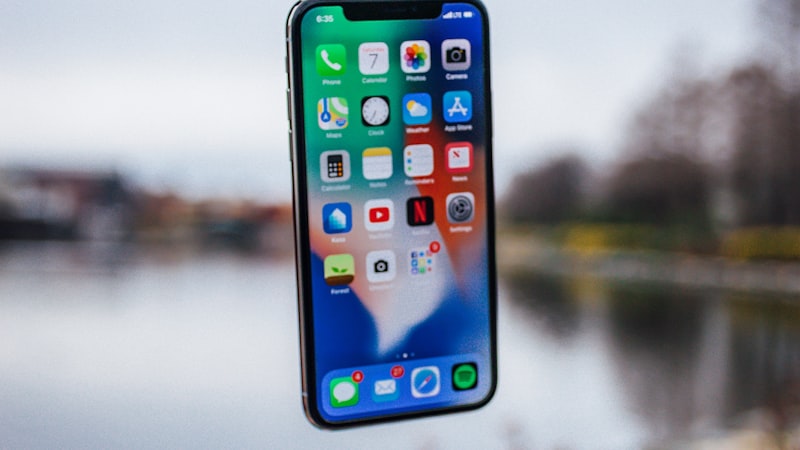
Why a Spotless Screen Matters
A clean screen ensures the vibrant colors, sharp text, and intricate details of your iPhone's display are presented as intended. Smudges diffuse light, reduce contrast, and make it harder to discern on-screen elements, potentially leading to eye strain. The capacitive touch layer relies on clean contact for accurate input; a dirty screen can lead to missed taps or unresponsive swipes, directly impacting productivity and enjoyment.
Recommended Cleaning Tools
Simplicity and gentleness are key. Apple's guidance emphasizes avoiding abrasive materials and harsh chemicals to prevent damage to the oleophobic (oil-repellent) coating.
- Soft, Lint-Free Microfiber Cloth: Your primary tool. Use cloths designed for electronics or optics to trap dust and oils without scratching.
- Distilled Water or Specialized Screen Cleaner: For stubborn smudges, a very slightly damp cloth can be effective. Distilled water is preferred. Alternatively, use an alcohol-free and ammonia-free screen cleaner. Always spray cleaner onto the cloth, not directly onto the iPhone.
What to Absolutely Avoid
Using the wrong products can cause irreversible damage to your iPhone's display coating.
- Paper Towels or Tissues: Contain wood fibers that can be abrasive and scratch the display.
- Window/Household Cleaners, Aerosol Sprays: Contain harsh chemicals (ammonia, alcohol, abrasives) that strip the oleophobic coating, making the screen smudge more easily.
- Solvents (e.g., rubbing alcohol, acetone): Will instantly degrade or remove the oleophobic coating and can damage the display panel.
Step-by-Step Cleaning Guide
Follow these steps for safe and effective cleaning:
- Power Down (Recommended): Reduces risk of accidental input and makes smudges more visible.
- Remove Accessories: Take off cases or external accessories.
- Gentle Dry Wipe: Wipe the screen with a dry microfiber cloth in a circular or linear motion to remove most dust and loose fingerprints.
- Damp Wipe for Stubborn Smudges: If smudges persist, lightly dampen a corner of your microfiber cloth with distilled water or a few drops of specialized screen cleaner. Wring out excess liquid thoroughly—the cloth should be barely damp.
- Wipe Gently: Gently wipe affected areas in a consistent direction, avoiding excessive pressure.
- Dry Thoroughly: Use a dry section of the microfiber cloth to wipe away any remaining moisture, ensuring the screen is completely dry.
Cleaning with a Screen Protector
Many iPhone users opt for screen protectors—tempered glass, matte, or privacy films—for an extra layer of defense. As we previously explored in our guide on iPhone screen protectors types and their application impact, regular cleaning is crucial even with protection. The same best practices apply: use a soft microfiber cloth and, if necessary, a slightly dampened cloth with distilled water or an approved screen cleaner. Harsh chemicals can damage the protector's coatings, just as they would the native display.
Maintaining Optimal Touch Responsiveness and Longevity
A clean screen ensures your iPhone's touch sensitivity remains precise. Fingerprints and oils can create a slight barrier, leading to a less fluid or accurate touch experience. Regularly cleaning ensures direct, unimpeded contact with the display, preserving the responsive interaction Apple intends and contributing to your device's overall longevity.
Frequency of Cleaning
The ideal cleaning frequency depends on usage. For most users, a quick dry wipe daily or every other day is sufficient. A more thorough cleaning with a slightly damp cloth can be performed weekly or whenever significant grime accumulates. Regular maintenance keeps your iPhone looking pristine and contributes to its usability.
Adopting these simple yet effective cleaning practices will help you maintain your iPhone's display in its best condition, ensuring clarity, responsiveness, and a more hygienic user experience for years to come.
Questions readers ask
Does iOS need rearchitecting to make screen cleaning best practices work properly?
Apple would need a window manager or surface-handling layer in iOS to do this well. The plumbing already exists on iPadOS in a limited form, so the engineering question is less invention and more refinement.
Where is Apple's supply chain on screen cleaning best practices right now?
Reports out of Asia consistently cite a handful of suppliers competing on the relevant component, with Apple splitting orders rather than single-sourcing. That hedging pattern tends to mean a real product is being prepared, not just an R&D exploration.
Is screen cleaning best practices realistic for the next iPhone, or further out?
Most signals point to a later cycle rather than imminent release. Component lead times for screen cleaning best practices suggest Apple is still validating the supply side, and the company tends to wait until yields hit production targets before committing on stage.
What's the biggest tradeoff Apple has to swallow for screen cleaning best practices?
Every Apple decision is a tradeoff, and the obvious one here is internal volume. Adding screen cleaning best practices costs millimetres somewhere — usually battery capacity or camera module depth — and Apple has to decide which line item to trim.
In short — what's the takeaway on more from iphone view?
It comes back to whether Apple can ship screen cleaning best practices without compromising the parts of the iPhone people already pay for. The detail in this section is where that case is made or broken.